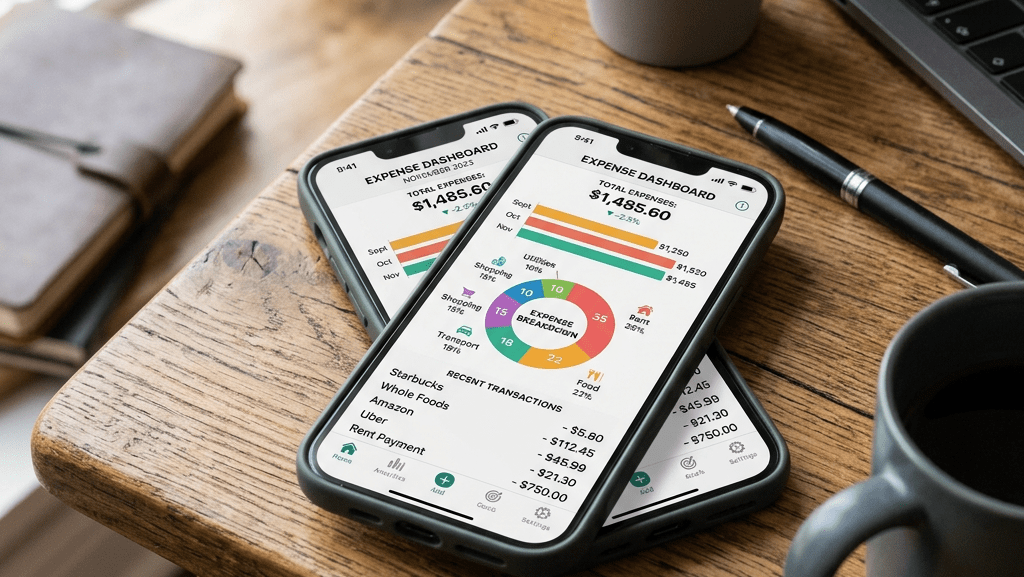

How many times have you found yourself checking your bank balance and wondering where your money went? Or having nothing left at the end of the month? Then there’s the stress, guilt, or confusion that kicks in when you didn’t make any big purchases, yet somehow your money keeps disappearing.
This is where expense tracking starts to matter. You think you spend too much; you probably don’t see it clearly yet. And you don’t have to restrict yourself, either, or track every coin perfectly. A simple app could tell you exactly where your money went and help you make informed decisions instead of guessing or reacting too late.
By the end of this article, you’ll know exactly how to track daily expenses using a simple expense tracking app. You don’t need more discipline. You need a system that actually works in real life, so let’s fix that.
Why Tracking Your Expenses Is Important
Expense tracking helps you identify spending patterns. Which week or month do you spend the most money? What purchases drain your wallet the most?
You get to prevent over-expenditure and debt buildup, if there’s any. PocketGuard, for instance, has the “Leftover” feature, which calculates the amount left in your budget so you’re less likely to spend money that’s already needed somewhere; a great way to avoid overspending.
You can set budgets for categories like dining, shopping, and entertainment. Still, the moment your spending approaches those limits, the app sends notifications so that you don’t end up in debt or more.
A quick coffee, food delivery, subscriptions you forgot about, or small daily transfers can seem harmless in the moment, but they slowly add up without you realizing it. These are some of the patterns you’d realize while tracking your expenses. That awareness alone can make it easier to cut back on takeout and random splurging, so as to stay on budget and feel more in control of your money.
What Makes a “Simple” Expense Tracking App
Every expense tracking app has its own unique tailored feature(s) to differentiate itself from others. However, there are a few basic features that make the apps simple and convenient.
A simple mobile app should have a user-friendly interface: Easy to navigate, with a clean layout and straightforward. This way, you don’t feel overwhelmed every time you open it.
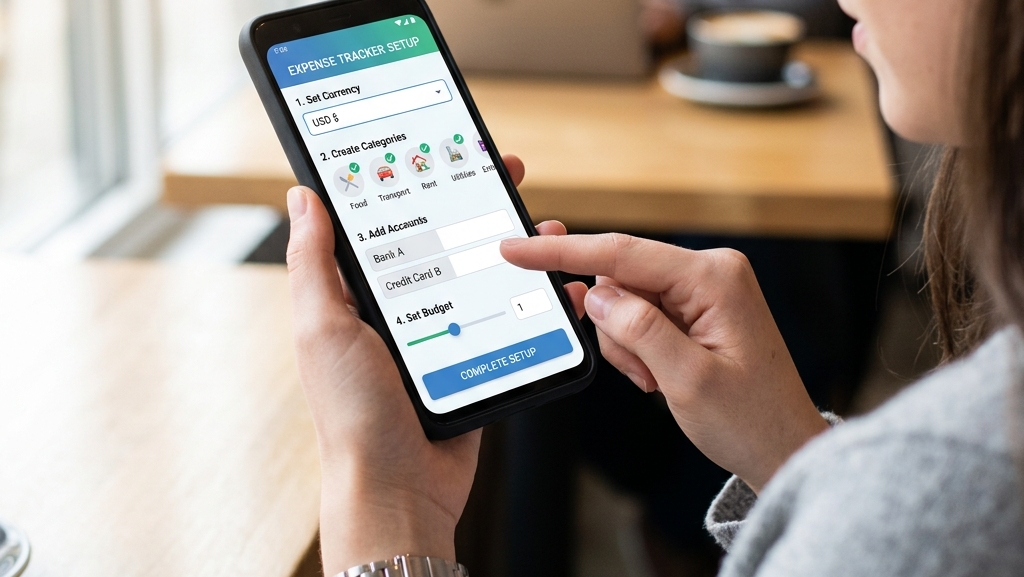
A simple and quick setup process also matters, so you don’t spend hours creating categories and adjusting settings. At the very least, the app should allow you to add your income and expenses easily, helping you see clearly how much money is coming in, going out, and where your spending habits may need improvement.
Some apps include extra features for convenience. Automatic categorization, for example, groups sorted into groceries, transport, or entertainment, to save time and help you quickly spot patterns in your expenses. Syncing across devices is another helpful feature because it enables you to access your budget whenever you need it, be it from your phone, tablet, or computer.
While these features may not be necessary for everyone, they can make financial management feel smoother and more organized.
How to Choose the Right Mobile App
- Free vs paid apps: If you’re starting out or already struggling with budgeting, then paying for features you may never use can frustrate you. A free app would be enough to help you build the habit first, then you can upgrade later if you need more advanced features like budgeting tools, reports, and bank syncing.
- Offline vs online functionality: Online apps automatically sync and back up your data across devices; that way, if you’ve ever lost track of spending because you forgot to update your budget, they can simplify tasks. But if privacy matters more to you or your internet connection isn’t always reliable, you may feel more comfortable opting for an offline app.
- Security features (PIN, biometric login): Nobody wants their financial information exposed if their device gets lost or accessed by someone else. That’s why features like PINs, fingerprint login, or face recognition matter. They give you peace of mind while still making the app quick and easy to access.
- Compatibility with your device: There’s nothing more annoying than downloading an app that freezes, crashes, or doesn’t work properly on your phone. Some apps work better on Android while others are optimized for iPhone or tablets. Choose an app that runs smoothly on your device, making it easier to keep tracking your expenses routinely instead of giving up out of frustration.
- Examples of popular apps: If you’re unsure where to start, apps like Mint, PocketGuard, YNAB, and Goodbudget are popular because they make expense tracking effortless and more organized. Each app offers different features depending on your budgeting style and goals. Trying a few options can guide you to finding the one that feels easy enough for you to actually keep using.
Step-by-Step Guide to Tracking Expenses
a. Download and Set Up the App
The first step is choosing an expense tracking app that feels straightforward and easy to use. Once you’ve found one, download it from your device’s app store and create an account if required. Numerous apps will also ask you to set your preferred currency and adjust a few basic settings. Take a few minutes to set everything up properly for smoother finance tracking later on.
b. Add Your Income Sources
Before you start tracking expenses, ensure you record all the money coming in, including your salary, freelance income, business earnings, allowances, or any other regular source of income. If you don’t know exactly how much money you have available each month, you won’t be able to predict if you’re spending within your means or overspending.
c. Record Daily Expenses
One of the biggest reasons people struggle with expense tracking is waiting too long to record purchases. By the end of the day or week, it’s easy to forget how or when you spent your money. Try to enter expenses as soon as you spend, whether it’s on groceries, lunch, entertainment, or utility bills. Consistency equals accuracy for your financial picture.
d. Categorize Your Spending
Simply recording expenses isn’t always enough. Organizing them into categories such as food, transport, housing, entertainment, and bills gives an overview of your spending habits more clearly. Most apps offer pre-set categories, but you can also create your own if needed. In the long run, these categories make it simpler to spot trends and identify areas where you may be spending more than expected.
e. Set a Budget (Optional but Recommended)
If the app allows you to create budgets for things like groceries, dining out, or transport, it’s better because having these limits eases your control over impulse spending and empowers you to focus on your financial goals without worrying about overspending.
How to Analyze Your Spending
Tracking your expenses is only half the job. To get the most value from your app, take a few minutes each week or month to review your spending. This provides better visibility into your cash flow instead of relying on guesses. You might be surprised to discover how much you’re spending on takeout, subscriptions, or impulse purchases.
As you review your expenses, look for patterns and areas that may be hurting your budget. If one category consistently exceeds your spending limits, it may be time to make adjustments. Some, if not all, expense tracking apps provide reports, summaries, and charts that make it easier to spot trends at a glance. These insights can aid in smarter decision-making and help you stay on track with your financial goals.
Common Mistakes to Avoid
One of the most common mistakes is ignoring small expenses because they don’t seem significant. A coffee here, a snack there, or an online purchase may not feel like much. However, those small transactions can add up quickly over time. If you want an accurate picture of your finances, every expense counts.
Another mistake is creating too many spending categories, which can be overwhelming and difficult to maintain. It’s also essential to review your expenses regularly, rather than recording them and never looking at them again.
Most importantly, don’t rely on memory; the longer you wait to record a purchase, the more likely you are to forget it, making your records less accurate.
Benefits You’ll Notice Over Time
As you consistently track your expenses, you’ll start feeling more in control of your money. Instead of wondering where your paycheck went, you’ll have a clear understanding of your spending habits and financial situation.
You’ll also find it easier to save money because you’ll be able to identify unnecessary expenses and redirect those funds toward your goals. Eventually, this can reduce financial stress, improve your confidence with money, and help you make better decisions about spending, saving, and budgeting.
Expense tracking doesn’t have to be complicated. The vital key is consistency. You don’t need the perfect app or a complex budgeting system to get started; just a simple expense tracking app that fits your needs, make it a habit to record your transactions regularly, and give yourself time to see the results.
Small, consistent actions can drive meaningful improvements in your financial health.
 SEO with Maryanne